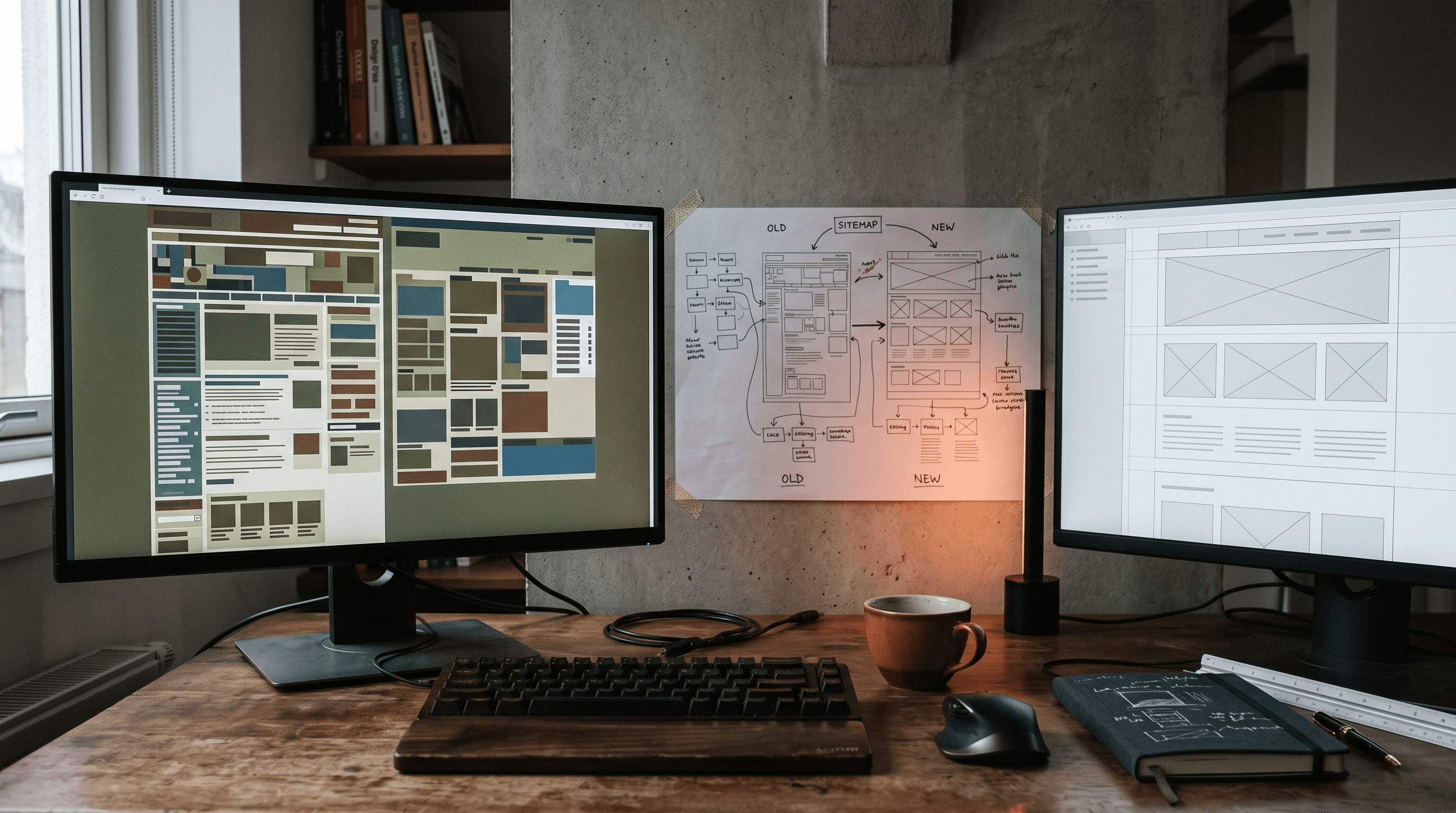
You're about to open a blank document, type "website redesign checklist" at the top, and start filling it in from memory: new colors, a nicer font, maybe finally retire the stock photo of two people shaking hands over a laptop. Stop for one second before you do, because that's the order almost every failed redesign follows, and the mistakes happen in the exact same order. A real website redesign checklist for a small business has almost nothing to do with how the new site looks. It's the six or seven boring items that keep the site you already have from getting quietly worse the day you replace it, starting with the page currently bringing in half your calls that nobody remembered to redirect.
1. The website redesign mistakes that cost more than the redesign
The costly mistakes are almost never visual. Nobody loses business because the new homepage uses a slightly different shade of blue than the old one. They lose business because the page that used to rank for "[whatever the business does] near me" moved to a new address and nobody built a bridge from the old one to the new one, so a few months of rankings and the phone calls attached to them quietly evaporate somewhere between the two sites. The visible parts of a redesign get all the attention in the kickoff meeting. The invisible parts are what decide whether the business survives launch day with its traffic intact.
A checklist exists to force that boring half into daylight before launch, not after, because after is when a client calls asking why the contact page that used to be first in Google now returns nothing at all. A 301 redirect passes nearly all of a page's ranking signal to whatever it points at next. A missing one passes none of it, and Google has no way to guess the two pages were ever related.

2. Website redesign for SEO means passing the mobile test too
A redesign is the one moment a small business gets to fix years of accumulated technical debt in a single pass: oversized images nobody ever compressed, a navigation menu that made sense with six pages and became unusable somewhere around thirty, forms built for a keyboard and a mouse in an era when almost nobody visiting has either one in hand. Skip the mobile version of that fix and you've spent real money rebuilding the same slow site in a nicer font. [not hypothetical]
63% of web traffic comes from mobile, and Google Search Central is direct about ranking the entire site off its mobile version, desktop visitors included, which means a redesign that looks beautiful on the 27-inch monitor in the approval meeting is being graded on a completely different screen. If nobody opened the new site on an actual phone before anyone signed off on it, that step is still owed.
Every template platform will tell you the new theme is mobile-responsive, and in the narrow sense that the columns stack, it is. Responsive is not the same question as usable, and a booking form that shrinks to fit a five-inch screen without anyone rethinking how many taps it takes to fill out is still the same form that was losing people before the redesign. It's just narrower now.

3. What should survive a redesign, and what quietly doesn't
A redesign is also the moment small businesses accidentally delete the things that were quietly earning trust on the old site. The phone number that used to sit in the header disappears into a hamburger menu, the reviews widget gets cut because it clashed with the new color palette, and the real photo of the actual shop gets swapped for a stock image because the new template shipped with one already in place. None of that shows up in a before-and-after screenshot. All of it shows up in the numbers a month later.
The safest rule going into a redesign is that anything currently convincing a stranger to trust the business enough to call has to survive the move, even if it doesn't fit the new grid as neatly as the designer would like. A cleaner layout that quietly removes the one thing getting someone to pick up the phone isn't an improvement. It's a different site that happens to look better in the portfolio.
4. The redesign that kept every ranking, and the one that didn't
Picture two businesses redesigning around the same time, both hiring good designers, both ending up with sites that look sharper than what came before. One of them mapped every existing URL to its replacement before launch and watched rankings dip for about two weeks before climbing back past where they started. The other skipped that step because the new site was ready and waiting felt pointless, and eighteen months later is still explaining to a confused former customer why the page they bookmarked in 2023 now shows a generic error.
The difference wasn't budget, and it wasn't taste. It was one afternoon spent exporting a list of every page currently getting traffic and deciding, page by page, where it lives now, instead of assuming the new sitemap would sort itself out. A look through the sites we've shipped shows the same principle behind every one of them: nothing gets thrown out until there's somewhere for it to land.
5. Redesigning without losing SEO also means planning for AI search
The redesign brief used to stop at Google. Now a real share of the people who would have found the business through search are instead asking ChatGPT, Perplexity or Google's AI Overviews to just name a business that does the thing they need, and those tools read the new site exactly as literally as a screen reader would, pulling the plainest, most clearly labeled answer they can find.
That's the argument for treating schema markup as part of the checklist rather than a separate project for later, because a new site with cleaner code and no structured data behind it hands an AI answer engine a well-designed page it still can't summarize with any confidence. Businesses that already had schema on the old site tend to keep it only by accident, since a full rebuild is exactly the kind of project where the markup quietly doesn't make the migration list.

Website Redesign: Template Swap vs. Custom Rebuild
Here's what changes depending on which kind of redesign you're buying.
| Feature | Template Builder (Wix, Squarespace) | Custom Design |
|---|---|---|
| Upfront cost | Low ($20–$60/month) | Higher (one-time project fee) |
| Mobile performance | Basic | Fully optimized |
| SEO capability | Limited | Full control |
| Unique to your brand | No | Yes |
| Load speed | Average | Optimized |
| Scales with your business | Limited | Yes |
| Long-term ROI | Lower | Higher |
Whichever way this goes, the boring half of the checklist above still has to happen first, which is the part our web design services handle by default instead of as an add-on.
What every website redesign checklist needs
Before launch day, not during the panic after it, confirm all six of these:
- Every changed URL mapped to a 301 redirect, decided before launch, not discovered after
- A phone number and contact path that survive the redesign, exactly where visitors already expect to find them
- Real photography kept or reshot, never swapped for a template's placeholder stock image
- Page speed under 2.5 seconds on mobile, check it free at PageSpeed Insights
- Schema markup carried over or added fresh, so AI tools and Google can still read what the business does
- Analytics and Search Console reconnected on day one, so a traffic drop gets caught in the first week instead of the third month
Frequently Asked Questions
What should be on a website redesign checklist?
At minimum: a full list of existing URLs mapped to 301 redirects, every phone number and contact path preserved exactly where visitors expect it, page speed tested under 2.5 seconds on mobile, and schema markup carried over rather than dropped during the rebuild. Everything else, colors, fonts, new photography, matters for how the site feels, but none of it protects the traffic the old site was already earning.
Does a website redesign affect SEO?
Yes, in both directions. A redesign done with redirects, structured data, and page speed in mind usually improves rankings within a few months, while one that changes URLs without mapping them can erase years of ranking progress in the same afternoon it launches. The difference is almost never the design itself. It's whether the technical handoff between old and new was planned.
What makes a good website redesign?
A good one keeps everything that was working on the old site, the ranking pages, the contact information, the trust signals, while fixing everything that wasn't, usually page speed, mobile usability, and a navigation menu that grew unmanageable somewhere around page twelve. The redesigns that go badly are almost always the ones that treated the old site as something to delete rather than something to build on.
Why is mobile design important in a website redesign?
Because Google ranks the new site using its mobile version regardless of how it looks on the monitor in the approval meeting, and most visitors are deciding whether to trust the business from a phone anyway. A redesign that looks sharper on a desktop but still takes five seconds to load on a phone hasn't fixed the problem it was supposed to fix.
How much does a website redesign cost for a small business?
A redesign usually lands in the same range as building a site from scratch, since most of the price is design and development labor rather than a discount for the fact that a site already exists somewhere. What moves the number more than anything is the migration work underneath it: mapping every old URL, deciding what still earns its place, and rebuilding the rest around it. A quote that skips that line entirely is the one worth questioning. For a number specific to your redesign, reach out here.
The Bottom Line
A website redesign has one job: send more of a stranger's attention toward calling, booking or buying than the site it's replacing did, without throwing away years of pages Google already trusted along the way. The good ones and the bad ones start from the exact same blank document. The difference is entirely what happens before anyone opens it: the URL list, the redirect map, the version of the site somebody actually opened on a phone.
So before you type "website redesign checklist" into that blank document and start listing fonts, go find the page currently bringing in the most calls and write down its new address first. Everything else on the list can wait a week. That page can't, and neither, frankly, can the stock handshake photo, which earned its retirement sometime around 2019. If you want a second pair of eyes on what your current site is quietly doing right before anyone touches it, let's find out.