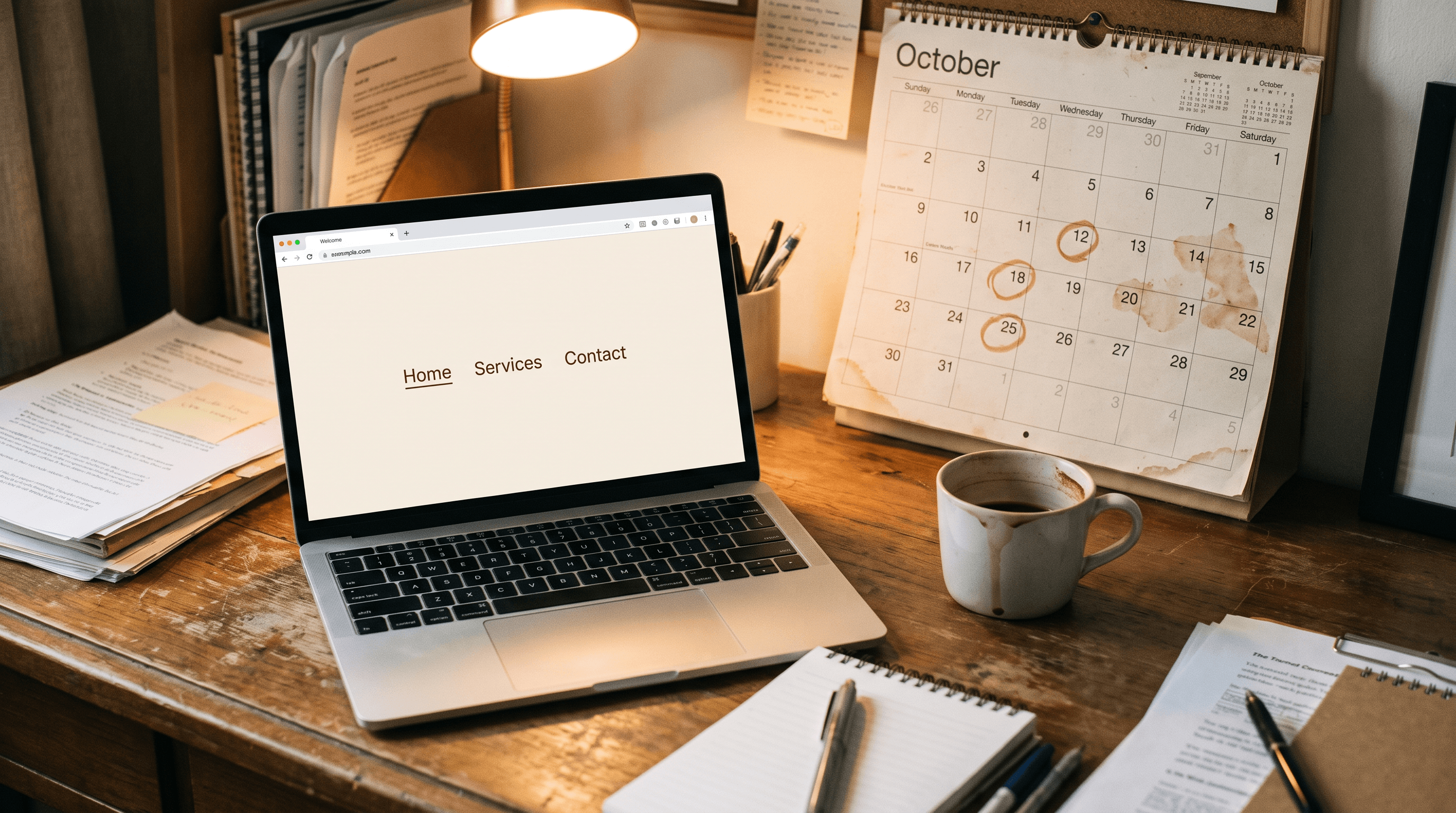
The "Updates available (14)" badge on a WordPress dashboard has been glowing since some point in spring, dismissed so many times it barely registers as a notification anymore, and the footer still reads 2021 because changing one four-digit number apparently needs a ticket nobody wants to open. [The contact form quietly stopped forwarding email back in June. Nobody's tried it since May, which is its own kind of answer.] A real website maintenance plan is the only thing standing between that orange badge and the week a customer's message disappears into a server that stopped listening months ago, though the version most vendors sell sounds more like a subscription invented to bill you for nothing in particular. I've shipped three sites of my own and still caught that exact badge glowing on one of them longer than I'd admit to on a sales call.
1. What a monthly website maintenance plan is quietly buying you
Strip the sales language off it and a website maintenance plan is a short, recurring list: software and plugin updates applied before a known vulnerability gets found by someone other than you, a backup that restores when you test it, not just one that exists, an uptime check that notices a site is down before a customer does, and a pass through the obvious stuff, broken links, a contact form nobody's tested since the last hosting migration, a checkout button that silently stopped working in one browser. None of it is clever. All of it is the kind of unglamorous work that only gets noticed in the two weeks after someone stops doing it.
That's also why it gets cut first when a budget tightens. A missed blog post costs you a ranking you never had yet. A missed update costs you a door nobody locked, and the data on how often that door gets walked through isn't close: Sucuri's 2023 Hacked Website Report found that 39.1% of compromised CMS installs were running outdated software at the exact moment they were breached, down from just over half the year before, which is still a strange way to lose a business's only storefront over something as small as a version number.

2. The mobile check most website maintenance checklists leave out
Design quality, page speed and ranking are the same conversation wearing three different names, and a maintenance plan that only chases the first one is solving a third of the problem. A plugin update that adds forty milliseconds nobody notices on a desktop monitor can be the exact forty milliseconds that pushes a phone visitor to back out before the page finishes painting, and that bounce is a signal Google reads whether or not anyone on your team ever sees it happen.
63% of web traffic comes from mobile, which is why Google Search Central judges the whole site on its phone version first, regardless of which version last got approved on a widescreen monitor in a kickoff meeting. A maintenance plan that never opens the site on an actual phone is auditing the wrong device.
Template builders pass the easy version of this check without much effort, the layout stacks, nothing visibly breaks, and that's exactly what makes the real problem harder to catch: a menu that technically works but needs three taps to reach the phone number, or a popup that covers the only button that matters until someone finds the tiny close icon. [Finding that icon has become a small, unpaid skill every phone user now carries around for no reason.] A maintenance plan worth paying for checks the phone first, not last.

3. The two trust signals a maintenance plan protects without anyone noticing
Most of what makes a visitor trust a site enough to fill out a form has nothing to do with design taste and everything to do with whether the small, boring things are current: a copyright year that hasn't quietly aged three cycles past the present, reviews that get a reply instead of sitting there unanswered, a security padlock that hasn't lapsed because a certificate renewal slipped past everyone's calendar. None of these close a sale on their own. Each one is a tiny, specific reason to leave if it's wrong.
The second signal is simpler and gets ignored anyway: does the thing on the page still do what it says it does. A "Book Now" button pointed at a calendar tool the business stopped paying for eighteen months ago isn't a design failure, it's a maintenance failure wearing a design failure's outfit, and the visitor who clicks it and gets nothing doesn't file a bug report. They just leave, and they tell exactly nobody why.
4. What I catch when I check in on my own builds
None of my own builds has ever gone the badge-glowing-since-spring route, not because I'm especially virtuous but because catching it early is built into the maintenance I already do for Kosher Hibachi LA, for Benny's Grill LA, and for Luna Blu Jewelry's storefront. What shows up, when I do check in, is smaller than anyone expects: a menu item that changed price in the kitchen three weeks before it changed on the page, a review reply that got typed and never hit send, a seasonal banner that should have come down in January and is still up in October.
None of that is dramatic enough to screenshot as a before-and-after, which is probably the most honest thing I can tell you about what maintenance looks like day to day. A few of the builds this applies to are worth a look if you want to see what gets kept current once a site is live, not just at launch.
5. What an unmaintained site costs you once an AI answers the question first
A growing share of the people who would have typed a business's name into Google are now asking an assistant instead, and those tools judge a page on close to the same grounds a search engine always has, clear structure it can parse without guessing and information that hasn't gone stale. An AI assistant that quotes a business's old hours, an old address, or a service it stopped offering two years ago isn't malfunctioning, it's reading exactly what the unmaintained page still says.
Schema markup, the markup that spells out a business's hours, services and reviews in a form an assistant can lift word for word, used to be the line item nobody asked for. Keeping it accurate is now part of the maintenance job too, because a stale schema block is a wrong answer with extra credibility attached.
Small Business Website: Template Builder vs. Custom Design
Whichever way you maintain the site, this is the platform decision that decides how much maintenance even costs.
| Feature | Template Builder (Wix, Squarespace) | Custom Design |
|---|---|---|
| Upfront cost | Low ($20–$60/month) | Higher (one-time project fee) |
| Mobile performance | Basic | Fully optimized |
| SEO capability | Limited | Full control |
| Unique to your brand | No | Yes |
| Load speed | Average | Optimized |
| Scales with your business | Limited | Yes |
| Long-term ROI | Lower | Higher |
A site that's immaculately maintained and still built on a slow, generic template is polishing a car that won't start, so our web design services handle the engine before the upkeep schedule gets written.
What Every Website Maintenance Plan Needs
Before you sign anything, or decide to keep doing this yourself, check the plan against these six:
- A real backup schedule, tested by restoring from one at least once, not just confirmed to exist
- Plugin and core updates applied within days, not whenever someone finally opens the dashboard again
- Page speed under 2.5 seconds on mobile, check it free at PageSpeed Insights
- A monthly check of every form and button that takes money or a booking, clicked by an actual human
- An SSL certificate that renews automatically, so nobody finds out it lapsed from a customer's screenshot
- A security pass for the obvious stuff: weak admin passwords, outdated themes, plugins nobody's used in two years and never removed
Frequently Asked Questions
What is a website maintenance plan?
A website maintenance plan is a recurring, documented set of tasks that keeps a site secure, backed up and working: software and plugin updates, uptime and security monitoring, broken-link and form checks, and a schedule for how fast something gets fixed once it breaks. It's ongoing work, not a one-time cleanup, and that distinction is usually the whole reason someone's first DIY attempt at it quietly stops after month two.
Does skipping website maintenance hurt your SEO rankings?
Indirectly, and often badly. Google doesn't penalize a site for having an old plugin, but a slow, broken or insecure site loses the signals ranking depends on: pages that load fast, links that don't dead-end, forms that work, and a certificate that hasn't lapsed. A site that's been neglected for a year rarely drops because of one specific update it missed. It drops from a dozen small ones nobody ever came back to fix.
What should a website maintenance checklist include?
The same six or seven items real agencies and hosting companies keep repeating: updates, backups, uptime monitoring, a security scan, a speed check, a pass through forms and links, and a quick review of anything that changed on the business side, hours, pricing, a service that got dropped. A checklist that's only two items long, "update plugins, done," is a to-do list wearing a maintenance plan's name.
Why does mobile performance matter for website maintenance?
Because most visitors are checking the site from a phone, and a maintenance task that only gets tested on a desktop monitor hasn't actually been tested. A slow image or a popup that covers the phone number costs you the visitor before they ever reach whatever the maintenance plan was supposed to protect underneath it.
How much does a website maintenance plan cost?
Most small business plans run somewhere between $50 and $300 a month depending on what's included, with the number climbing for ecommerce sites or anything that needs faster response times. A one-time audit before you commit to any plan runs cheaper than a single month of most retainers and gives you the real number the site needs fixed first, not the number a vendor would rather quote. For a straight answer on what your own site needs, reach out here.
The Bottom Line
A website maintenance plan is six or seven unglamorous jobs, not a mysterious subscription: updates, backups, uptime and security checks, a pass through every form and button that makes money, and someone who notices when any of it quietly stops working. None of it needs a jargon word, and most of it is cheaper to do on a schedule than to fix in a panic after a customer tells you the contact form bounced their message back in June.
So go open that dashboard and look at the badge. [It's fine. Mine still had one this morning.] Change the footer year while you're in there, it takes four seconds and it's the cheapest trust signal on the entire page. If you'd rather hand the whole list to someone who checks it on a schedule instead of by accident, let's find out.