
Type web design swim school into Google at ten at night and you're probably the parent, not the owner: trying to find somewhere trustworthy enough to put your four-year-old in the water twice a week. Swim school owners forget their website gets the same scrutiny a stranger gives a daycare, not the scrutiny someone gives a t-shirt shop. A slow site, a class schedule buried behind a phone call, or stock photos of kids who don't attend your school, and the decision is already made, and it wasn't made in your favor. Get the design right and the site enrolls families while your front desk is closed for the night. Get it wrong and you're paying for hosting on a page a nervous parent closed after four seconds. (Somewhere, a competitor's waitlist just got one name longer.)
1. Swim School Website Design Ideas That Actually Enroll Families
Good swim school web design starts with one question: what does a parent standing in a locker room hallway, already deciding whether to switch schools, need to see in the first few seconds? Usually three things. Whether the pool looks clean and supervised, what a lesson actually costs, and how fast they can grab an open spot in the right age group before it fills.
Most swim school sites skip straight past that. They open with a looping video of a coach mid-demonstration, then bury the schedule behind a "call the front desk" instruction, as if class times were something only staff were allowed to know. A parent who came ready to enroll leaves to check the school two exits down instead, and the site looks great the entire time it's losing them.
Put the schedule, the pricing, and the age groups where a parent can find them without a phone call, and the rest of the layout mostly sorts itself out. Roughly 94% of first impressions come down to design, and that judgment forms before anyone reads a word about your certified instructors.

2. How Swim School SEO and Web Design Work Together
Design and SEO aren't two separate projects for a swim school. They're the same set of decisions, looked at from two angles. Every choice about image size, page structure, and layout either helps Google understand what you teach or gets in the way of it.
Most swim school SEO tips online focus on keywords and skip the build entirely, which is backwards, because page speed and mobile performance come straight from how the site was made and they decide whether you show up for "swim lessons near me" at all. A cinematic homepage that takes seven seconds to load its class calendar ranks below a plain one that loads in two, no matter how many ribbons your instructors have won.
3. Why Mobile Design Decides Who Actually Books a Lesson
63% of web traffic comes from mobile, and for swim schools the share runs higher still. Parents are booking between school pickup and dinner, thumb-typing a class time while somebody's already asking what's for dinner.
According to Google Search Central, Google ranks your swim school using the mobile version of your site, not the desktop one. So a class calendar that reads beautifully on a laptop but takes four taps to open on a phone works against your ranking on top of losing the booking.
Template builders technically render on a phone. They rarely rethink how an age-group filter behaves with one thumb, how many screens sit between "Tuesday at 4pm" and a confirmed spot, or how a video-heavy homepage performs on the weak signal inside a rec center parking lot.
4. The Trust Signals That Get a Parent to Actually Book
Handing a four-year-old to a stranger for thirty minutes takes more trust than picking a restaurant. A bad meal costs an hour. A bad swim lesson is a kid who's now afraid of water, and a parent who's now afraid of your school, and they both know that before anyone clicks book.
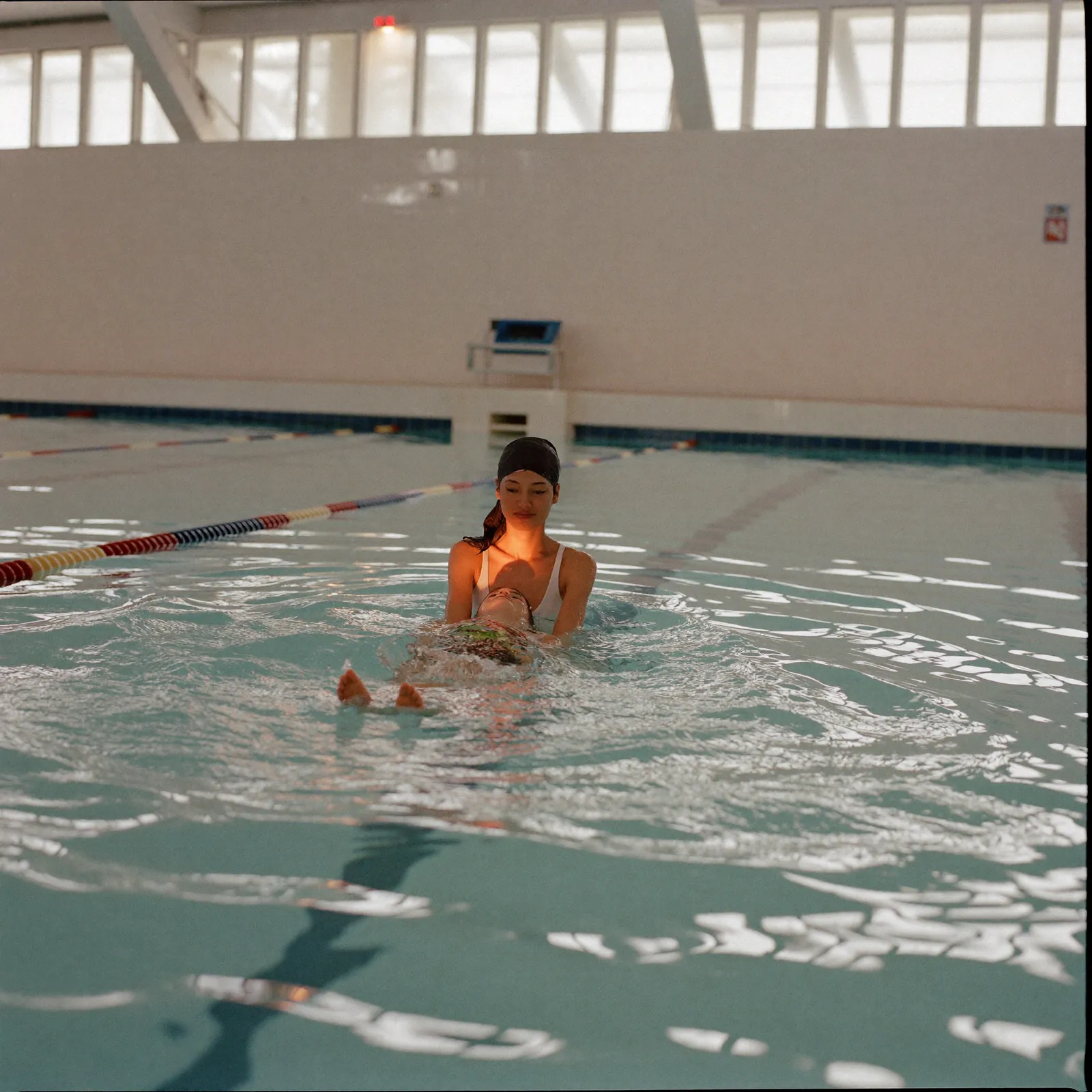
Real photos of your actual pool, your actual instructors, and a kid mid-lesson carry more weight than any tagline about safety. Stock photos of a pool that isn't yours do the opposite: they suggest you don't trust your own space enough to show it. Add instructor certifications, a few honest reviews, and a class schedule that doesn't require a phone call, and most of the hesitation disappears before someone reaches the sign-up button.
5. The Booking Flow Is the Design
Traffic without enrollments is just a number in an ads dashboard. What matters is how many parents your site turns from someone scrolling during a lunch break into someone standing poolside on Saturday morning.
That comes down to structure: age groups visible without scrolling, pricing you don't have to call for, and a booking flow that ends in a confirmed spot instead of a form that promises a callback sometime this week. Every extra step between a parent's curiosity and a booked lesson is a chance for them to close the tab and never open it again.
6. Brand Consistency: Your Site Should Feel Like Your Pool Deck
Parents notice the gap between how your school feels walking in and how the website feels, even when they can't quite name what's off. A warm, well-run swim school with a stiff, corporate-looking site is sending two different messages, and the website is the one a new family sees first.
Consistent colors, type, and photography make the business feel like it's run by people who pay attention to details, which matters more here than in most industries. Nobody signs their kid up with a school that looks like it's cutting corners on its own homepage.
7. Accessibility Is the Edge Most Swim Schools Are Skipping
Most swim school websites in any given area were built once, years ago, and never touched again. That's the opening. Legible text, real color contrast, alt text on your class photos, and pages that work with a screen reader put you ahead of nearly every competitor without spending another marketing dollar.
It helps your ranking too, since the same structure that makes a page usable for a screen reader is the structure Google reads to understand it. You end up with a site more families can actually use and a stronger position in search, from the same set of decisions.
8. A Real Example: Same Instructors, Different Results
We've seen this play out directly: a swim school with great reviews and fair prices was losing customers to a competitor whose site was faster, cleaner, and easier to use on a phone. Same neighborhood, same price range, similar instructor experience. The competitor just made booking a trial lesson take twenty seconds instead of a phone call during business hours.
Fixing that isn't a rebrand. It's rebuilding the path between a parent searching "swim lessons near me" at 9 p.m. and a confirmed spot in Saturday's beginner class: you can see what that looks like in practice in the work we've done for other local businesses.

9. Everything Else You're Doing Points Back Here
Every other channel you run points back to one place. Instagram sends parents to your link in bio, Google Ads sends people to your enrollment page, and a five-star review sends someone straight into a search for your name.
A weak site quietly taxes every dollar spent on the rest of that. Fix it and the same ad budget, the same posting schedule, and the same word of mouth all start converting better, without you changing anything else you're doing.
Bonus: How AI Search Is Changing Things for Swim Schools
Parents now ask ChatGPT and Google's AI summaries which swim school to try near them, and those answers get pulled from sites the machines can actually read. If your class schedule lives inside an image and your pricing sits in a PDF, you're invisible to that entire layer of search.
Answer engine optimization comes down to making your information machine-readable: real headings, plain-text answers to the questions parents actually ask, and schema markup that labels your classes, pricing, hours, and location. Swim schools that get this right start showing up in AI answers while the school across town wonders where its leads went.
Swim School Website: Template Builder vs. Custom Design
Both options get a swim school online. They differ in what happens after the first month.
| Feature | Template Builder (Wix, Squarespace) | Custom Design |
|---|---|---|
| Upfront cost | Low ($20–$60/month) | Higher (one-time project fee) |
| Mobile performance | Basic | Fully optimized |
| SEO capability | Limited | Full control |
| Unique to your brand | No | Yes |
| Load speed | Average | Optimized |
| Scales with your business | Limited | Yes |
| Long-term ROI | Lower | Higher |
A template gets a schedule online by the weekend. A custom build gets a site that ranks, loads fast, and fills classes while you're teaching, which is the part that actually pays for itself: here's more on our web design services.
What Every Swim School Website Needs
Run your current site against this list and count what's missing.
- A class schedule visible in one scroll, sorted by age group, not hidden behind a login.
- A trial lesson offer stated clearly, with the price attached, not "contact us to learn more."
- Real photos of your own pool and instructors, not stock kids in a pool that isn't yours.
- Instructor certifications listed, including water safety and CPR credentials.
- Page speed under 2.5 seconds on mobile, check yours free at PageSpeed Insights.
- Recent reviews on the page, not just a link out to Google.
- Accurate hours, address, and a tap-to-call number that matches your Google Business Profile exactly.
- Local SEO built into the structure, including your neighborhood in page titles and headings.
- A makeup class and cancellation policy stated plainly, so parents know what they're signing up for.
Frequently Asked Questions
What should web design for a swim school include?
Web design for a swim school should include a class schedule sorted by age group and visible without a login, pricing that doesn't require a phone call, real photos of your own pool and instructors, and a site that loads in under two seconds on mobile. Local SEO needs to be part of the build from day one, not bolted on after launch. Skip any of that and a first-time parent has an easy reason to book a trial lesson somewhere else instead.
Does web design affect SEO for a swim school?
Page speed, mobile performance, and how your pages are structured all feed directly into where you rank for searches like swim lessons near me, so design and SEO end up being the same project wearing two names. A slow, cluttered site ranks below a fast, plain one even when your instructors are more qualified.
Can a bad website hurt a swim school?
Most swim school owners never see the moment it happens, but a bad website can absolutely cost enrollments. People form a first impression in about three seconds, almost entirely from what they see, and a slow or dated site quietly suggests a business that stopped paying attention to details, right before you're asking someone to trust you with their kid in the water.
What makes a good swim school website?
A good swim school website leads with proof: real photos of your pool, visible pricing, and a booking flow you can't miss. It loads fast on a phone, states class times by age group instead of burying them in a PDF, and gets a parent from search result to booked trial in under a minute.
Why is mobile design important for a swim school?
Because that's where the decision gets made. Most parents look up a swim school on a phone, often while standing on a different pool deck comparing options in real time, and Google ranks you using that mobile version of your site. A schedule that needs pinching and zooming loses the parent and the ranking in the same visit.
Why is user experience important for a swim school?
It decides whether a parent books a trial or opens a competitor's tab instead. Clear navigation, a visible sign-up button, and honest pricing keep a new lead moving toward a booked lesson instead of comparing three other swim schools in the same search session.
How much does web design cost for a swim school?
A professionally built swim school website usually runs a few thousand dollars, depending on how many locations or age groups you're featuring, whether you need booking software built in, and how much photography the project needs. Template builders cost less upfront and tend to cost more over time in trial lessons nobody ever booked. If you want a real number for your school, reach out here.
The Bottom Line
Your website is infrastructure, the same as your pool heater and your booking software. It works while your front desk is closed, it answers every question a parent Googles at nine at night before deciding whether tomorrow's the day they finally sign their kid up, and it decides how many of those parents actually show up for the free trial.
A great swim school site does four things at once: it shows the real pool and the real instructors, answers the pricing question, makes booking a trial feel effortless, and does all of that in under two seconds on a phone with two bars of signal in the parking lot.
So the question isn't whether your website affects how many trials turn into enrolled swimmers. It already does, every single day, whether or not you're watching the numbers. (Your competitor's site is watching them.) The only thing left to figure out is which direction yours is currently pushing: let's find out.